
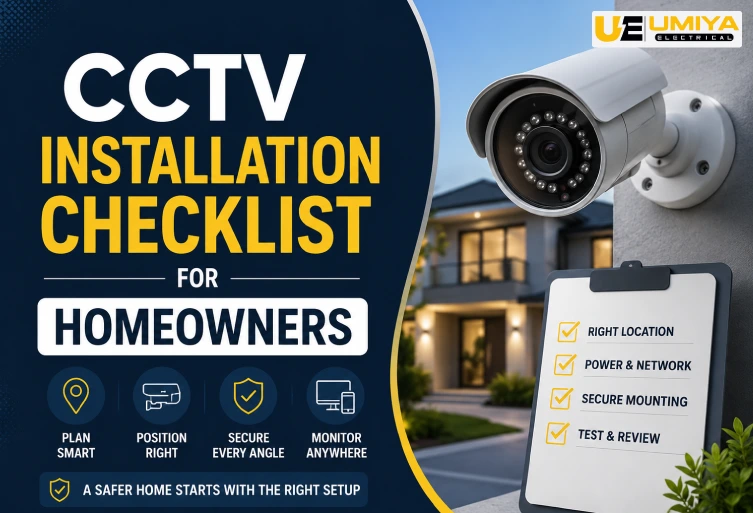
CCTV Installation Checklist for Homeowners
A home CCTV system can give Auckland homeowners better visibility around entrances, driveways, garages, gates and other important areas of a property. However, effective CCTV Installation involves more than simply mounting cameras on a wall. Camera position, lighting, power, network connectivity, recording storage, privacy and ongoing maintenance all affect how well a security camera system performs. Before installation, it is important to understand your property’s layout and identify the areas that genuinely need monitoring. This checklist explains the key things homeowners should consider when planning a reliable and practical residential CCTV system.
Plan Your CCTV System First
Good planning helps ensure that every camera has a clear purpose and provides useful coverage. Walk around your property and identify the front entrance, driveway, garage, rear door, side gates and other areas that may require additional security. Consider how people and vehicles approach the property during both daytime and nighttime conditions. Look for potential obstacles such as fences, trees, walls and parked vehicles that could create blind spots. You should also check where power outlets, your internet router and potential cable routes are located before choosing your equipment. Taking these steps before beginning the CCTV Installation can help prevent unnecessary cameras, poor positioning and expensive changes later.
Cover Key Areas
The front door and driveway are often important locations for residential security cameras because they allow homeowners to monitor people approaching the property and vehicles entering or leaving. Rear entrances, garages, side gates and accessible ground-floor windows may also require coverage depending on the property’s design. The goal is not to place a camera in every possible location but to achieve useful coverage of the areas that matter most. A strategically positioned camera can sometimes monitor a larger area without compromising image quality. When deciding where to install cameras, consider both the area you want to monitor and the distance between the camera and the subject. Effective CCTV Installation should provide useful identification rather than simply recording a wide view.
Avoid Blind Spots
Every CCTV camera has a limited field of view, and even high-resolution equipment cannot record areas outside that range. Before permanently mounting a camera, temporarily position it and check the live feed using your phone, monitor or recorder. Walk through the area to see whether entrances, pathways, vehicles and people remain clearly visible. Pay particular attention to corners, gates and areas hidden behind fences or landscaping. You should also repeat the test after dark because lighting conditions can significantly change the image. Testing camera positions before drilling permanent holes is one of the easiest ways to improve the final CCTV Installation and avoid unwanted gaps in coverage.
Choose the Right Camera Position
Camera height and angle have a major effect on the usefulness of security footage. A camera mounted too low may be easier to reach or damage, while one positioned too high can produce an angle that makes faces difficult to identify. The best position depends on the property, camera lens and area being monitored. Avoid pointing cameras directly towards strong lights because glare can reduce image quality, particularly at night. Corner positions may provide wider coverage, but they should still be tested to confirm that important areas remain visible. Always judge the position from the camera’s actual recorded image rather than simply looking at the camera from ground level.
Choose Wired or Wireless CCTV
Wired and wireless CCTV systems can both be suitable for residential properties, but the right choice depends on your home’s layout and infrastructure. Wired systems can provide stable connectivity and are commonly used for permanent multi-camera installations, particularly when cameras use Ethernet or Power over Ethernet (PoE). Wireless cameras can be more convenient where running cables is difficult, although they still normally require a reliable power source unless they are battery-powered. Before choosing wireless CCTV, check Wi-Fi signal strength at every proposed camera location. For wired systems, plan cable routes carefully before installation. The most suitable CCTV Installation is the one that provides reliable connectivity rather than simply the easiest installation method.
Check Power and Cabling
Power requirements should be planned before cameras are permanently mounted. Determine whether your system will use PoE, standard power adapters, batteries or another manufacturer-supported solution. For wired systems, measure cable routes and avoid unnecessary lengths or exposed wiring. Outdoor cables and connections should be protected from weather, accidental damage and tampering. If new electrical outlets, fixed wiring or other electrical work are required, use an appropriately licensed electrical professional where applicable. WorkSafe New Zealand provides guidance for consumers about arranging electrical work safely and checking that electrical workers are licensed. WorkSafe New Zealand – Getting electrical work done Proper power and cable planning can make the CCTV Installation safer, cleaner and easier to maintain.
Select Outdoor-Suitable Equipment
Outdoor CCTV cameras need to be suitable for the environment in which they will operate. Auckland homes can experience rain, moisture, wind and changing temperatures, so homeowners should check the manufacturer’s specifications before installing cameras outside. Do not assume that every security camera is automatically suitable for exposed outdoor installation. The camera housing, mounting brackets, cable connections and junction points should all be considered. A weather-resistant camera can still experience problems if an exposed cable connector allows moisture to reach the equipment. Selecting suitable equipment and protecting connections properly can improve reliability and reduce maintenance problems over time.
Choose the Right Recording Storage
Your CCTV system needs enough storage to retain useful footage for the period you require. Storage requirements depend on the number of cameras, resolution, frame rate, compression, recording schedule and whether the system records continuously or only when movement is detected. Network/IP cameras are commonly paired with an NVR, while compatible analogue systems may use a DVR. If your system records continuously, choose storage designed for surveillance workloads rather than automatically using a standard desktop drive. Before completing the CCTV Installation, estimate how quickly your storage will fill and decide whether local, cloud or combined storage is appropriate for your requirements.
Test Before Final Installation
Before permanently tightening every camera bracket, test the proposed position and view. Check the live feed on your phone or monitor and walk through the areas you want to monitor. Make sure entrances, driveways and other important areas are clearly visible and that people do not appear too small or obscured. Repeat the test during nighttime conditions to identify issues involving darkness, infrared illumination, headlights or outdoor lighting. Small adjustments at this stage can make a significant difference to the final result. Testing before permanent mounting can also save time because you can correct the angle without having to remove and reinstall the camera later.
Configure Motion Detection
Modern CCTV systems may offer motion detection, person detection, vehicle detection and smartphone notifications. These features can be useful, but they should be configured according to your property rather than simply set to maximum sensitivity. A camera facing a busy road or moving trees may produce frequent false alerts. Where available, use detection zones to focus monitoring on your driveway, entrance, gate or other areas that require attention. After completing the CCTV Installation, monitor the alerts for several days and adjust the settings if necessary. Reducing unnecessary notifications can make it easier to notice genuine security events.
Secure Your CCTV System
Your security camera system should itself be protected against unauthorised access. Change default passwords and use strong, unique credentials for your cameras, recorder and mobile application. Where supported, enable multi-factor authentication and keep firmware and software updated. Review which people have access to your CCTV application and remove accounts that are no longer required. If the system is connected to the internet, avoid using the same password that you use for other important accounts. A reliable CCTV Installation should provide both physical security around your property and appropriate digital security for the camera system itself.
Protect Privacy
Privacy should be considered when deciding where your cameras point. Cameras should primarily monitor areas relevant to protecting your property, such as entrances, driveways, gates and outdoor access points. Avoid unnecessarily recording neighbours’ windows, doors or private outdoor areas. New Zealand’s Office of the Privacy Commissioner provides specific guidance for home CCTV and recommends taking care with camera positioning. Office of the Privacy Commissioner – CCTV at home If your camera supports privacy masking, use it where appropriate. You should also consider whether audio recording is necessary, as audio can create additional privacy concerns. Good CCTV Installation should improve security without unnecessarily intruding on other people’s privacy.
Test the Complete System
After installation, test the entire system rather than checking only whether each camera displays a picture. Confirm that live viewing, recording, playback, motion detection, mobile notifications and remote access work correctly. Test both daytime and nighttime footage and make sure the recorder displays the correct date and time. Walk through each monitored area and confirm that movement is detected where expected. If your system uses motion recording, verify that important events are actually being saved. Completing these checks ensures that your CCTV Installation works as an integrated security system rather than simply confirming that individual cameras are powered on.
Maintain Your CCTV Cameras
CCTV cameras need occasional maintenance after installation. Outdoor lenses can collect dust, moisture and other debris, while vegetation can gradually grow into the camera’s field of view. Check the lenses, mounting brackets, cable connections and camera angles periodically. Review both daytime and nighttime footage to make sure image quality has not deteriorated. You should also check storage capacity, network connectivity and available firmware updates. Regular maintenance can identify small issues before they result in missing or unusable footage. Keeping your system maintained helps ensure that your CCTV Installation continues to provide reliable security coverage throughout the year.
Common CCTV Installation Mistakes
Several common mistakes can reduce the effectiveness of a residential CCTV system. Installing cameras too high can make facial identification difficult, while installing them too low can make physical tampering easier. Ignoring nighttime performance may result in footage that looks good during the day but becomes difficult to use after dark. Poor cable management can create unnecessary vulnerabilities, and weak passwords can expose internet-connected cameras to unauthorised access. Homeowners should also avoid pointing cameras unnecessarily towards neighbouring private areas. Choosing cameras based only on megapixels is another common mistake because lighting, lens quality, positioning, storage and network reliability all affect real-world performance.
CCTV Installation in Auckland
Professional CCTV Installation can be useful when a property requires multiple cameras, concealed cabling, PoE networking, NVR configuration or additional electrical work. A professional assessment can help determine practical camera locations while reducing blind spots and unnecessary cabling. This can be particularly useful for larger Auckland homes, multi-level properties, homes with extensive outdoor areas or properties with several access points. Where electrical work is involved, homeowners should follow applicable New Zealand requirements and use appropriately licensed professionals. WorkSafe New Zealand provides consumer guidance about arranging electrical work safely. WorkSafe New Zealand – Electrical Work Guidance If you are looking for electrical and CCTV-related services in Auckland, visit Umiya Electrical to discuss your property’s requirements.
Final Thoughts
A successful CCTV Installation begins with understanding your property and identifying the areas that genuinely need monitoring. Test camera angles before permanent mounting, consider day and night visibility, plan power and network connections, select suitable recording storage and protect both physical equipment and online accounts. Privacy should also be considered throughout the process, particularly when cameras may capture areas outside your own property. With the right planning and regular maintenance, a home CCTV system can provide useful visibility around entrances, driveways, garages and other vulnerable areas. If you are planning CCTV Installation in Auckland, Umiya Electrical can be explored for suitable electrical and installation solutions.
FAQs
Have questions? We’ve answered some of the most common queries to help you understand the topic better.
Q1. How many CCTV cameras does my home need?
It depends on your property size, entrances, driveway and areas requiring coverage.
Q2. Is wired or wireless CCTV better?
Both can work well. Wired CCTV offers stable connectivity, while wireless cameras are easier to install in some locations.
Q3. Do CCTV cameras work at night?
Yes. Many modern cameras include infrared or low-light technology for nighttime monitoring.
Q4. How much CCTV storage do I need?
Storage depends on the number of cameras, video quality and recording schedule.
Q5. Is professional CCTV Installation necessary?
Professional installation can help with camera positioning, cabling, networking, recording setup and reliable system performance.